(Updated) Microsoft 365 Copilot: Updated handling of entity inserts in the Copilot Chat input box
AI summary
Copilot Chat uses pills instead of text for entity inserts
Entity-Texteingabe in Copilot Chat wird durch Pill-Display ersetzt
Rollout dates
- Standard release (GA): –
Extracted from the announcement text; the Microsoft text is authoritative.
Microsoft announcement
Updated August 4, 2026: We have updated the timeline. Thank you for your patience.
[Introduction]
We’re updating how entities inserted from Add Work Content under the + menu behave in Microsoft 365 Copilot and Copilot Chat. With this change, entity names (such as document titles, people names, or other referenced objects) will no longer be inserted as text within the input box, making it easier for users to craft clean prompts without needing to manually delete entity labels. This feature is available to both users with a Microsoft 365 Copilot license (Microsoft 365 Copilot users) and users without a Microsoft 365 Copilot license (Copilot Chat users), but the experience varies.
This message is associated with Microsoft 365 Roadmap ID 552592.
[When this will happen]
General Availability (Worldwide): Rollout begins in mid-August 2026 (previously late May) and completes by late August 2026 (previously mid-July).
[How this will affect your organization]
Who is affected: All users with access to Microsoft 365 Copilot and Copilot Chat in commercial (non-government) clouds.
What will happen:
- When users insert entities through Add Work Content (+):
- The entity pill will appear in context, but the entity name will no longer be inserted as text in the chat input box:
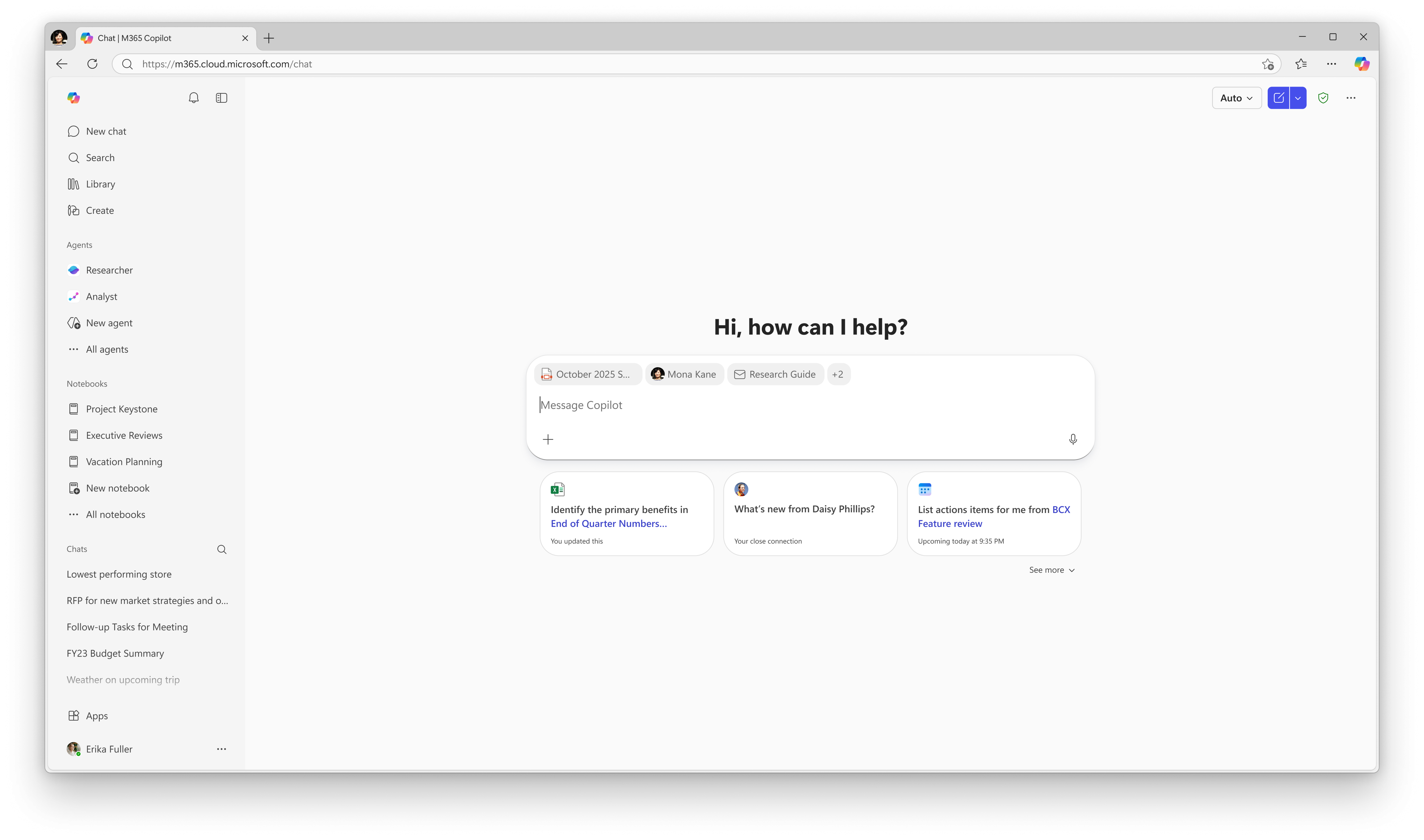
- The entity pill will appear in context, but the entity name will no longer be inserted as text in the chat input box:
- This change creates a cleaner prompt-building experience by removing extraneous text.
- No admin controls are changing.
- This update is enabled by default for all tenants.
[What you can do to prepare]
No action is required.
Optional steps include:
- Informing helpdesk or training teams about the change.
- Updating internal documentation that references entity insertion behavior in Copilot or Copilot Chat.
[Compliance considerations]
No compliance considerations identified. Review as appropriate for your organization.
Change history
- 2026-08-05 · Updated · BodyContent
- 2026-08-05 · Updated · Details
- 2026-07-13 · Created · All