Microsoft Teams VDI: Retirement of WebRTC optimization and transition to new optimization (Windows endpoints)
AI summary
VDI media optimization migrated to native engine
VDI-Medienoptimierung wird auf native Engine migriert
Rollout dates
- Standard release (GA): –
Extracted from the announcement text; the Microsoft text is authoritative.
Impact
ChangeCockpit assessment (admin, user and compliance impact).
Microsoft announcement
[What and Why:]
As previously communicated in MC1239928 (February 26, 2026), Microsoft is retiring the WebRTC-based media optimization for Teams on Windows VDI endpoints and replacing it with a new VDI optimization.
This update aligns Teams in VDI with the native desktop client media engine, improving performance, reliability, and feature parity while simplifying architecture by removing VDI environment dependencies. This transition enhances meeting experiences and supports faster innovation across Teams.
[Rollout Schedule:]
This retirement will occur in two phases. Date ranges below represent user notifications and key service milestones. The actual service changes occur on October 1, 2026 and April 1, 2027.
- Phase 1: End of Support
- July 10, 2026 – July 17, 2026: Users enrolled in Public Preview will begin seeing notification banners earlier than standard rollout.
- August 1, 2026 – September 30, 2026: All users will see dismissible in-app banners informing them of the upcoming end of support.
- October 1, 2026: The WebRTC-based optimization remains functional but is no longer supported on Windows endpoints. After this date, reminder banners may continue to appear when Teams launches.
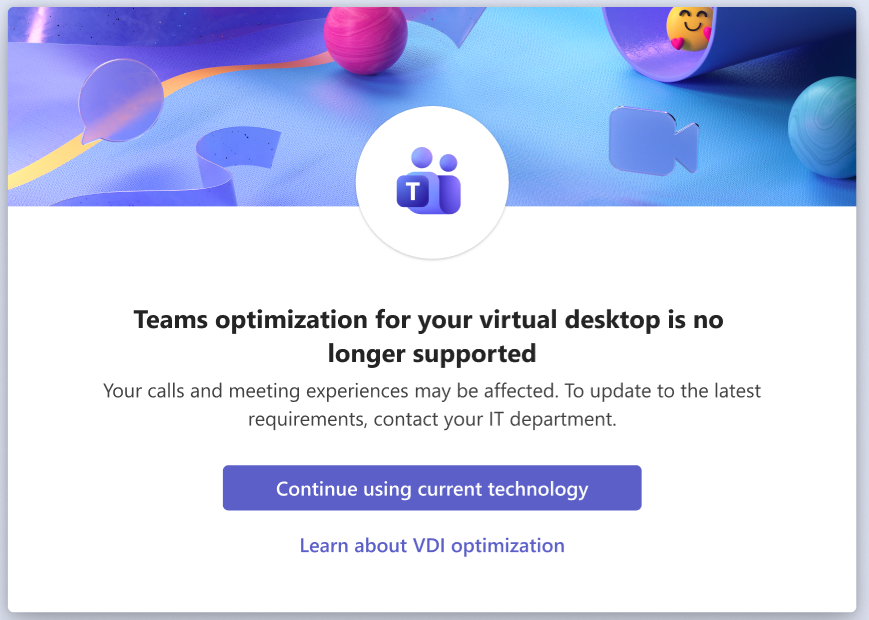
Screenshot 1: Notification shown to users prior to the end of support for WebRTC-based optimization:
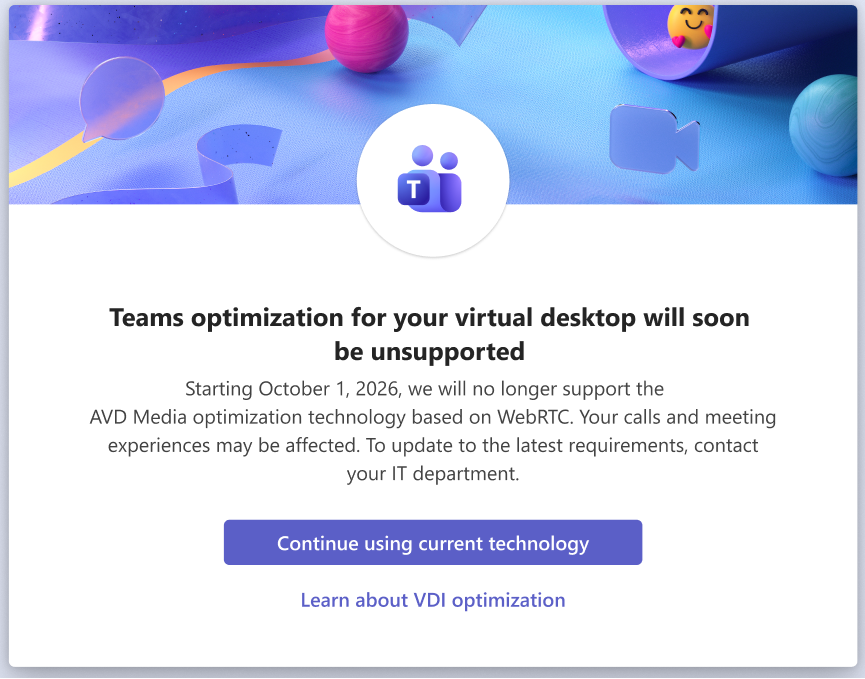
Screenshot 2: Notification shown to users after the end of support for WebRTC-based optimization:
- Phase 2: End of Availability
- February 1, 2027 – March 30, 2027: Users will see modal dialog messages indicating the upcoming retirement of WebRTC-based optimization.
- April 1, 2027: WebRTC-based optimization will stop working and the new VDI optimization will be enforced. If optimization cannot be established, Teams will fall back to server-side rendering.
[Impact on Your Organization:]
Who is affected:
- This change applies only to Windows-based endpoints connecting to Azure Virtual Desktop (AVD), Windows 365, and Citrix CVAD/DaaS. It applies to both published desktops and published apps.
- This change does not apply to macOS, Linux, mobile, HTML5, ChromeOS, or Omnissa Horizon environments (a separate communication will be provided for Horizon).
Platforms/Services:
- Azure Virtual Desktop
- Windows 365
- Citrix Virtual Apps and Desktops (CVAD/DaaS)
What will happen:
- The WebRTC-based optimization will be replaced by the new VDI optimization.
- The new optimization uses the same media engine as the native Teams desktop client.
- Users will benefit from improved performance, including faster call setup times and enhanced reliability.
- Third-party WebRTC components will no longer be required, simplifying servicing.
- Additional meeting capabilities will be available, including:
- Gallery view (3x3 and 7x7)
- 1080p video
- Hardware acceleration
- Custom background effects
- Noise suppression
- HID device support
- If the new optimization cannot be established, Teams will fall back to WebRTC optimization until April 1st, 2027, when it will use server-side rendering.
[Action Required / Recommendations:]
Immediate admin action is required for this transition. There are minimum requirements that need to be met:
- Review minimum requirements: Teams VDI documentation
- Confirm that the new VDI optimization is enabled in your environment (it is enabled by default) using this PowerShell command.
- For Citrix environments, ensure the Teams VDI plugin is deployed on endpoints
- Monitor usage and optimization status using:
- Teams Admin Center
- Call Quality Dashboard (CQD)
- Power BI VDI reports
- Notify helpdesk teams and users of the upcoming change
- Update internal documentation that references WebRTC-based optimization (for example, “Teams is AVD Media optimized” or “Teams is Citrix HDX Media optimized”).
[Compliance considerations:]
No compliance considerations identified, review as appropriate for your organization.
Change history
- 2026-07-14 · Created · All