Microsoft Copilot app: Updates to Home and navigation
AI summary
Copilot app updated with Home, Projects, and Workspace changes
Copilot-App: Home, Projects und Workspaces aktualisiert
Rollout dates
- Standard release (GA):
Extracted from the announcement text; the Microsoft text is authoritative.
Impact
ChangeCockpit assessment (admin, user and compliance impact).
Microsoft announcement
[What and why]
In MC1479277 about updates to the Microsoft Copilot app, we introduced Home as the new starting point that brings Chat and Cowork together, so users can get chat assistance and delegate multi-step tasks in one view. This post builds on that announcement with worldwide rollout timing and the addition of Projects and Workspaces to the Home experience.
[Rollout schedule]
- Standard release begins late October 2026
- Deferred release begins late November 2026
[Impact on your organization]
Who is affected
- Users of the Microsoft Copilot app. Access to Cowork and Cowork-related capabilities depends on Microsoft 365 Copilot licensing and your organization’s usage-based billing configuration.
Platforms and services
- Microsoft Copilot web, desktop, and mobile app.
What will happen
Projects:
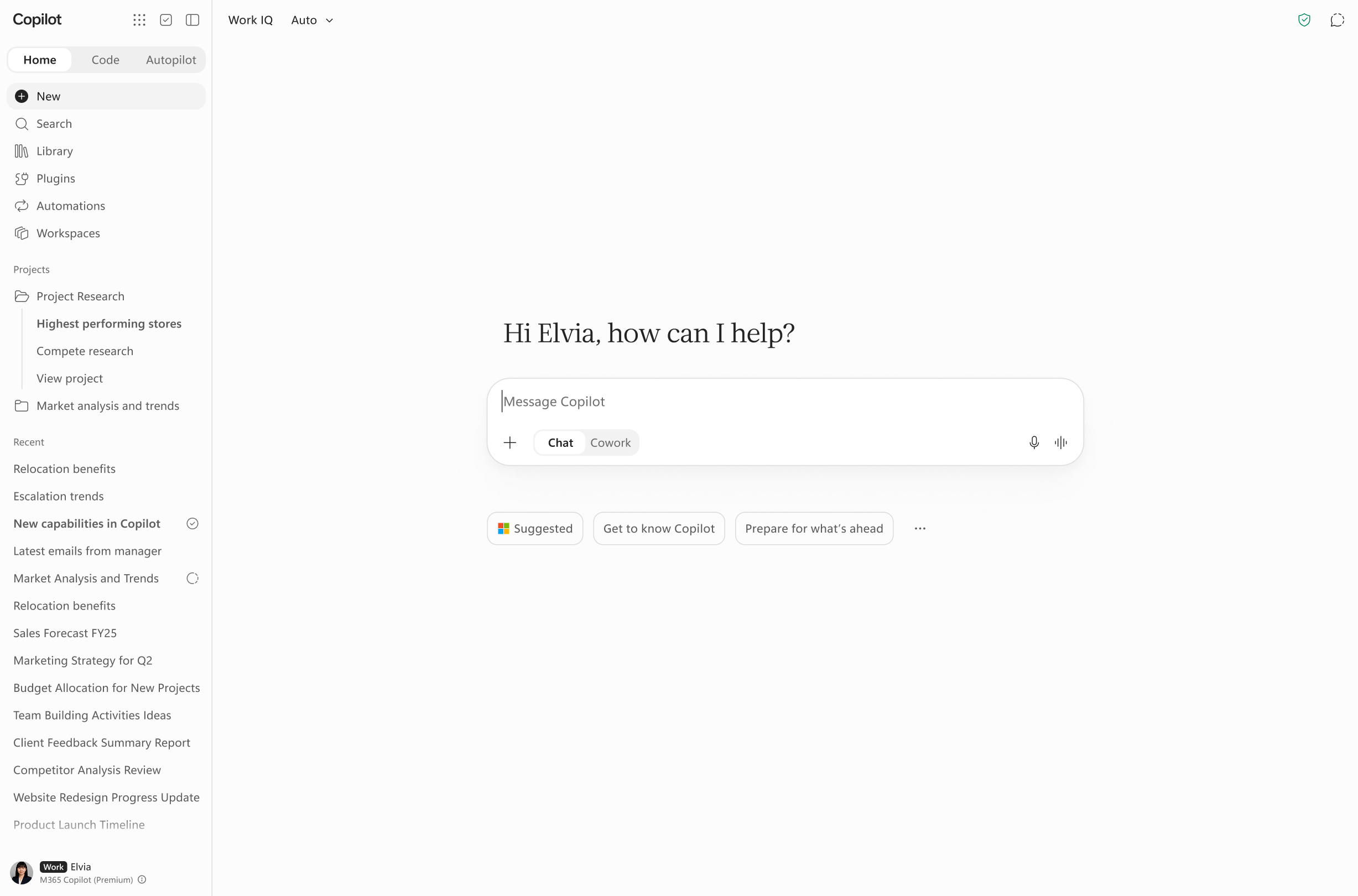
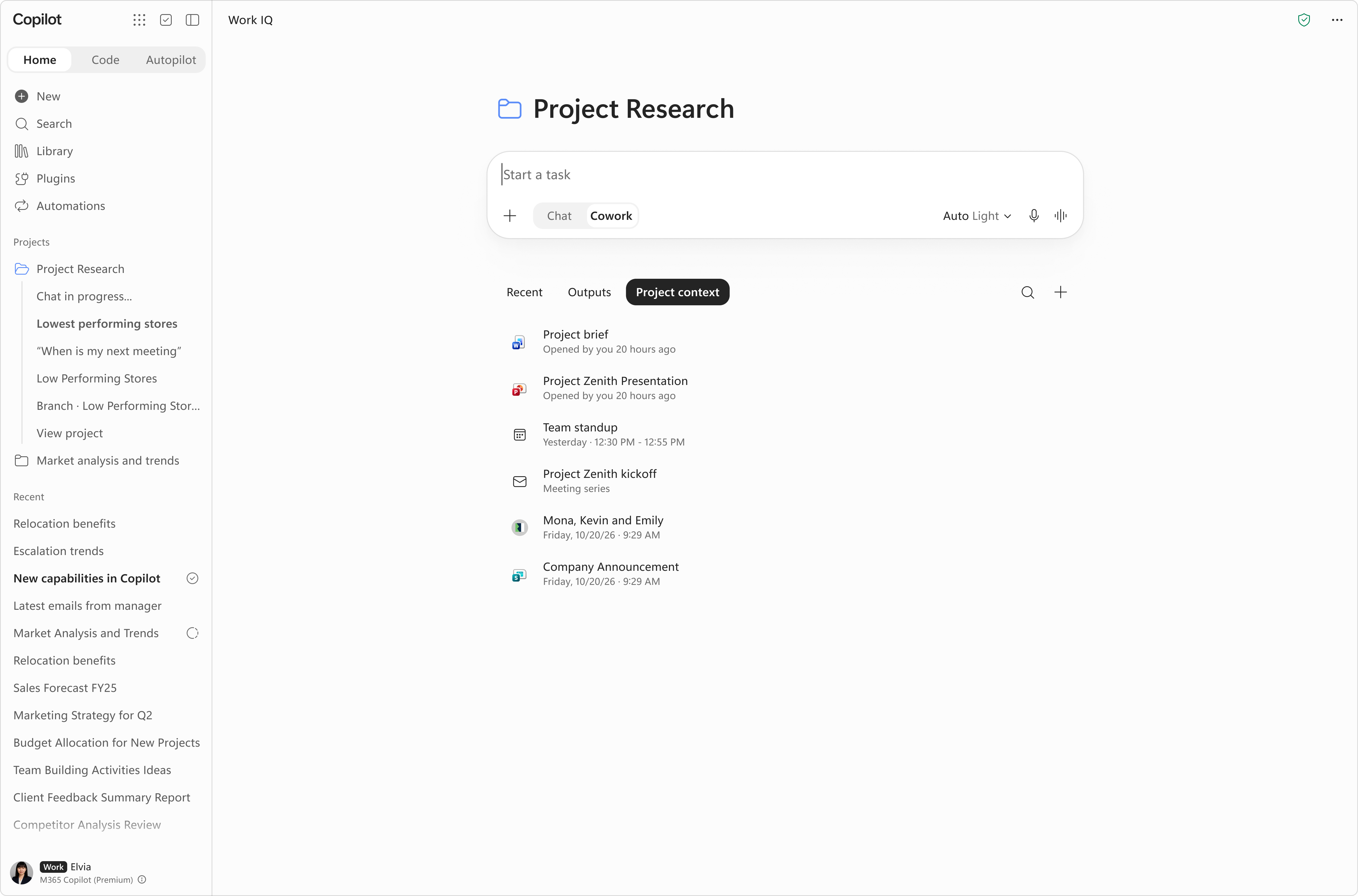
- In addition to what was communicated in MC1479277, Projects provides a dedicated space in Home for organizing related chats, Cowork tasks, and everything they share: files, instructions, and outputs. From there they can create a new project, add files and context, and start chats or Cowork tasks inside it. Responses are grounded in the project's context first, then in the user's broader Microsoft 365 work context. Projects are accessible from the Home navigation pane.
- Projects doesn't store content itself, and files stay in OneDrive under the same permissions, sensitivity labels and retention policies you already use. Word, Excel and PowerPoint files that Copilot creates are saved to the user's OneDrive.
- Projects are available on Windows, Mac, & Web apps across tier 1 languages. It is coming soon to mobile apps.
Workspaces:
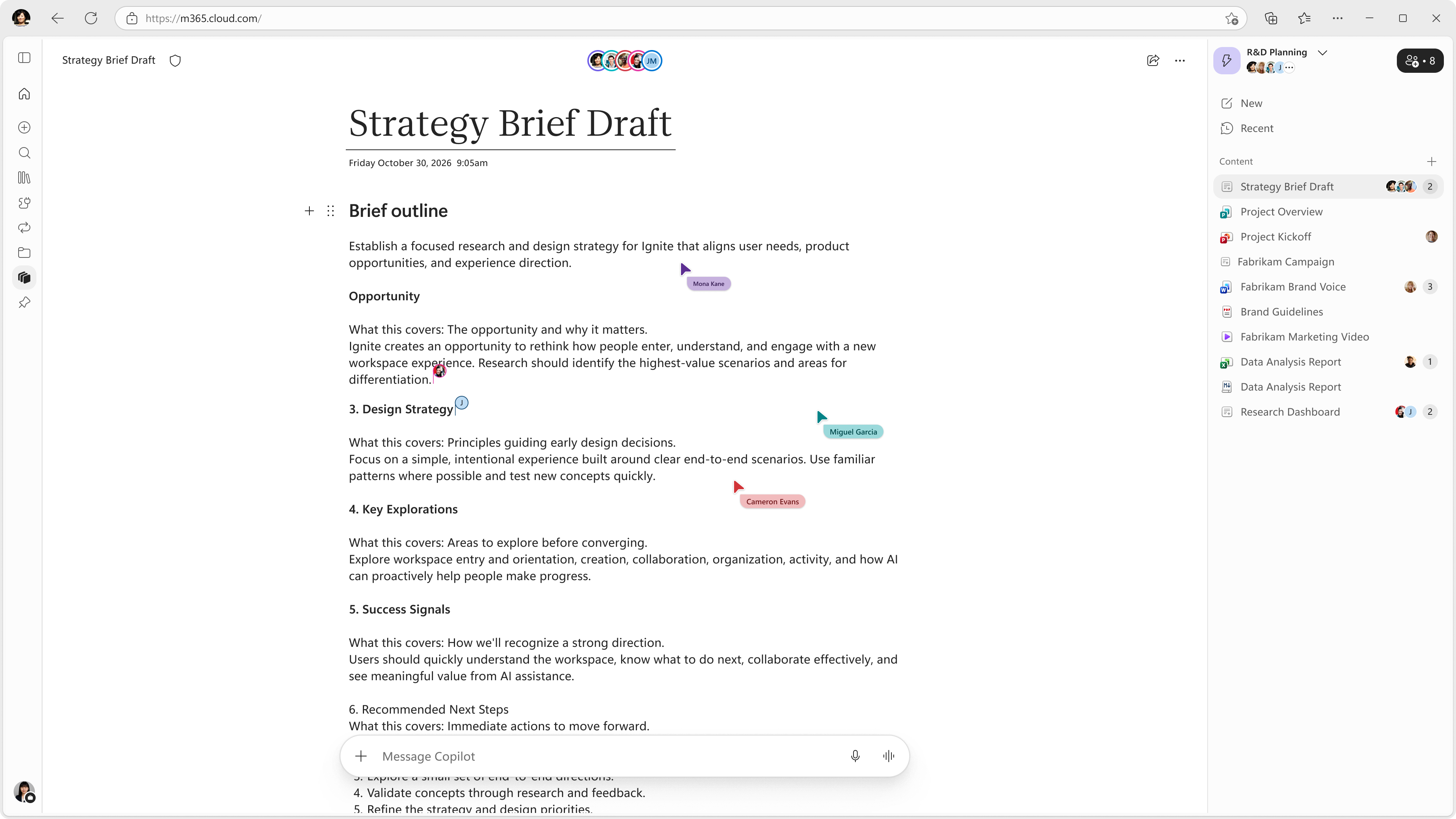
- Users will see "Notebooks" become "Workspaces" in the left navigation of the Copilot app as Copilot Notebooks evolves into Copilot Workspaces. Workspaces give teams a shared space to bring together context, team members, and working files to work alongside Copilot on an ongoing workstream.
- Existing notebooks will convert into “workspaces,” retaining all previously added or made content. Read FAQs on our Support Page.
- This change will roll out to all users with access to Copilot Notebooks in the coming days. Access to individual capabilities in Copilot Workspaces (formerly known as Copilot Notebooks) will vary by license.
[Action required and recommendations]
- Review which users are included in a spending policy that grants Cowork access and confirm your intended usage-based billing configuration.
Change history
- 2026-11-02 · Created · All