Check Multi-Geo move status using SharePoint Admin Agent
AI summary
SharePoint Admin Agent now monitors cross-border content migrations
SharePoint Admin Agent erhielt Cross-Geo-Move-Überwachungsfunktion
Rollout dates
- Standard release (GA):
Extracted from the announcement text; the Microsoft text is authoritative.
Impact
ChangeCockpit assessment (admin, user and compliance impact).
Microsoft announcement
[What and Why:]
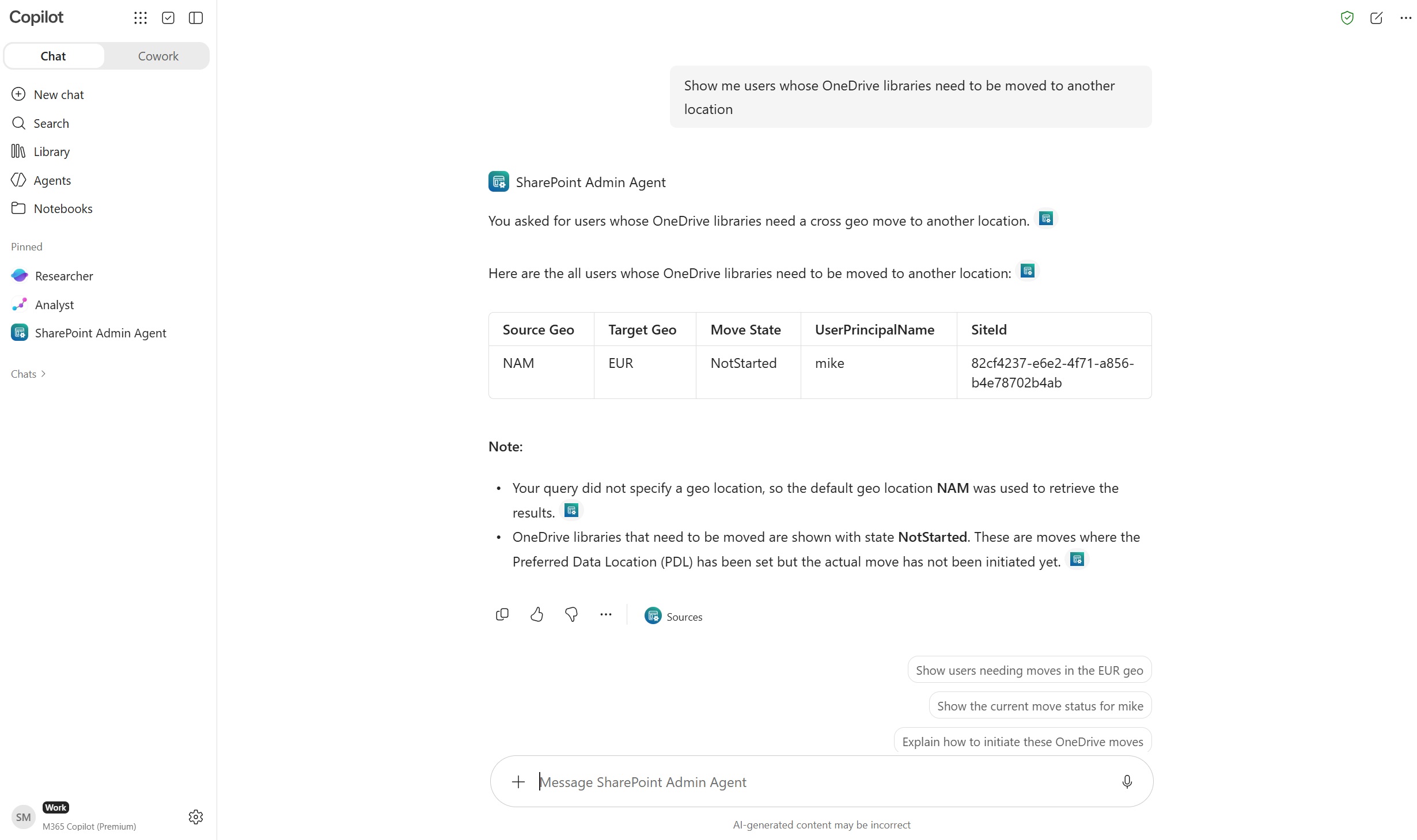
We’re introducing a new Microsoft 365 Copilot skill in the SharePoint Admin Agent that helps identify content requiring a cross-geo move and monitor move progress across OneDrive and SharePoint:
- Identify OneDrives that need to be moved: Find users whose Preferred Data Location was updated but whose OneDrive were not moved to the target Geo.
- Check the status of moves: Track the progress of cross geo OneDrive, SharePoint site, and Microsoft 365 Group moves initiated in the past.
- Identify moves that require attention: Find moves that didn’t complete successfully or have remained in progress for an extended period.
[Rollout Schedule:]
Global: We expect to complete rolling out by mid-October 2026.
[Impact on Your Organization:]
- Improved move visibility: Monitor OneDrive, SharePoint site, and Microsoft 365 Group moves in one place, helping administrators quickly identify content ready to move and moves that require attention.
- Simplified Multi-Geo administration: Track move status across all geographies from a single view in SharePoint Admin Agent, eliminating the need to connect to each geography separately.
[Action Required/Recommendations:]
Ensure your organization has the required Microsoft 365 Copilot and Multi-Geo licenses to use these capabilities. No additional configuration is needed to enable this skill.
[Learn more:]
- SharePoint Admin Agent overview - SharePoint in Microsoft 365 | Microsoft Learn
- Multi-Geo - Identify OneDrive Libraries to move to another geo | Microsoft Learn
- Multi-Geo - Identify cross geo moves that failed | Microsoft Learn
- Multi-Geo - Monitor status of cross geo moves | Microsoft Learn
[Compliance considerations:]
No compliance considerations identified. Review as appropriate for your organization.
Change history
- 2026-10-21 · Created · All